
Private HTTPS Dev Servers with Tailscale and Caddy
A practical setup for serving dev tools and application servers over private HTTPS with Tailscale and Caddy, from any always-on Linux host.
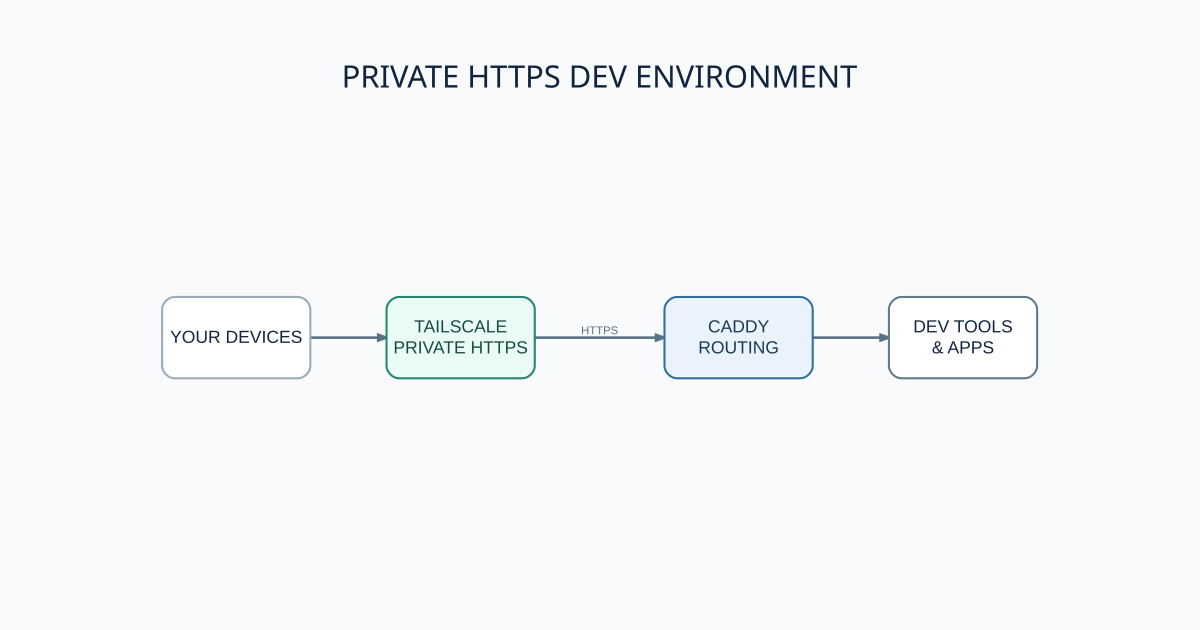
I wanted my dev tools to stay reachable when my main laptop was closed or somewhere else. The machine running them happened to be a small desktop with Omarchy, but the hardware is not important. This setup works on any always-on Linux machine: a spare computer, home server, virtual machine, or VPS.
How it fits together
Tailscale connects my devices over a private WireGuard network and gives the host a stable ts.net name. Tailscale Serve terminates HTTPS and forwards requests to Caddy on 127.0.0.1:8088. Caddy then maps path prefixes to applications listening on other localhost ports. Funnel stays off, so none of these services are published to the public internet.
I run the Hermes WebUI at /hermes/ and the Codebase Memory UI at /code-memory/. Temporary application servers get routes of their own. That lets me test a build on a real phone, point Playwright at a stable URL, or check an agent task from another device without exposing a dev port.
HTTPS matters here. Clipboard access, service workers, WebCrypto, camera and microphone access, and other browser features require a secure context. The certificate on the tailnet hostname makes a remote dev build behave much more like production, without local certificate warnings on every device.
A small Caddy configuration
This is the basic shape of the Caddyfile. Caddy only listens on localhost, and handle_path strips each route prefix before proxying the request upstream.
http://:8088 {
    bind 127.0.0.1

    redir /hermes /hermes/ 308
    handle_path /hermes/* {
        reverse_proxy 127.0.0.1:8787
    }

    redir /code-memory /code-memory/ 308
    handle_path /code-memory/* {
        reverse_proxy 127.0.0.1:9749
    }

    redir /app /app/ 308
    handle_path /app/* {
        reverse_proxy 127.0.0.1:5173
    }
}
Point Tailscale Serve at that listener with tailscale serve --bg http://127.0.0.1:8088. Before reloading Caddy, I run caddy validate --config /path/to/Caddyfile --adapter caddyfile. Apps that generate root-absolute asset or API URLs may need extra matchers, so I verify each route in a browser as well as with curl.
Letting the agent maintain it
Adding routes by hand got repetitive, so I saved the procedure as a Hermes skill. The skill records the Caddyfile location, service ownership, port rules, validation commands, and end-to-end checks. I can ask Hermes to add a route; it updates the configuration, validates it, restarts the right user service, and confirms that the local and tailnet URLs respond.
The skill also keeps fixes discovered during troubleshooting. One mounted app rendered a blank page because it emitted root-absolute asset URLs. That led to a referer-based routing pattern that now prevents one application's /api requests from reaching another upstream.
Custom names and cost
The generated ts.net hostname is enough for most routes. A custom domain is possible with private DNS plus a DNS-01 certificate flow, or with an internal certificate authority trusted by every client. It is extra work, but useful for a dev service opened every day.
Tailscale's personal plan, Caddy, and Omarchy are free. The setup also works without Hermes. In my case, the only usage-based cost is the LLM provider behind the agent; the network, proxy, certificates, and dev routes keep working on their own.